Course description

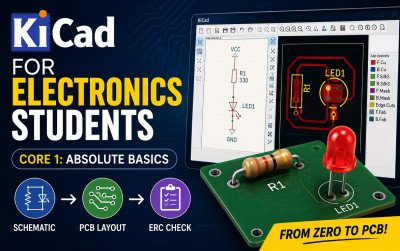
KiCad for Electronics Students – Core 1: Absolute Basics is a comprehensive learning guide designed for beginners who want to master PCB design using KiCad. The book starts from the fundamentals of electronic schematic creation and gradually teaches PCB layout design through practical, step-by-step examples. It covers essential topics such as project creation, schematic design, wiring components, power symbols, net labels, annotation, Electrical Rules Check (ERC), footprints, PCB layout, routing tracks, Design Rules Check (DRC), and 3D PCB visualization. Written in clear and easy-to-understand language, this guide requires no prior PCB design experience, making it an excellent resource for electronics students, hobbyists, and aspiring PCB designers who want to build real-world design skills.

What will i learn?

  • Understand the complete PCB design workflow.
  • Create and manage KiCad projects.
  • Design professional electronic schematics.
  • Add symbols, wires, power symbols, and net labels.
  • Annotate schematics and perform Electrical Rules Check (ERC).
  • Assign footprints to schematic symbols.
  • Create PCB layouts from schematics.
  • Place and arrange PCB components correctly.
  • Route copper tracks between components.
  • Perform Design Rules Check (DRC) to identify layout errors.
  • Visualize your PCB in 3D.
  • Design simple PCBs ready for manufacturing.
  • * Build confidence to continue with advanced KiCad PCB design projects.

Requirements

  • A Windows, macOS, or Linux computer.
  • * Internet connection to download KiCad.
  • At least 4 GB of available storage
  • A mouse with a scroll wheel (recommended).
  • Basic computer operating skills.
  • Interest in electronics and PCB design.
  • No previous PCB design experience required

Frequently asked question

This course is designed for electronics students, beginners, hobbyists, and anyone who wants to learn PCB design using KiCad from scratch.

No. The course starts from the basics and does not require any previous experience.

The course is based on KiCad Core 1 concepts and is suitable for recent versions of KiCad.

Yes. You will learn to create schematics, assign footprints, design PCB layouts, route tracks, and check your design for errors.

Yes. The course includes hands-on exercises that help you build a complete PCB design step by step.

Absolutely. The course teaches industry-standard PCB design practices using KiCad

John's Learnings

£7

Lectures

0

Skill level

Beginner

Expiry period

Lifetime

Share this course

Related courses