Course description

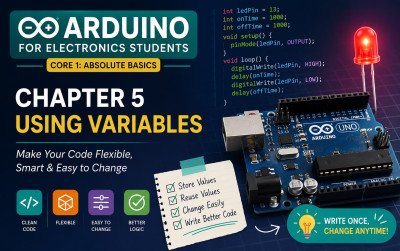
Arduino for Electronics Students is a comprehensive beginner’s guide created specifically for electronics and engineering students who want to build a strong foundation in Arduino programming. Whether you’re completely new to microcontrollers or looking to reinforce your practical skills, this guide walks you through every essential concept using clear explanations, real-world examples, and hands-on coding exercises.


Starting with the basics of the Arduino IDE and program structure, you’ll gradually explore digital input/output, variables, data types, timing functions, LED control, Serial Monitor, and decision-making using conditional statements. Each topic is presented in a structured, easy-to-follow format that emphasizes understanding rather than memorization.


The guide is designed to bridge the gap between theoretical electronics and practical embedded programming, enabling students to confidently develop their own projects. By the end, you’ll understand how to write clean Arduino code, debug programs effectively, and apply programming concepts to real electronic circuits.


Whether you’re preparing for laboratory sessions, academic projects, robotics competitions, IoT applications, or personal maker projects, Arduino for Electronics Students serves as a reliable learning companion. With beginner-friendly explanations and practical examples throughout, it provides the knowledge and confidence needed to take the first step into the exciting world of embedded systems and electronics development.

What will i learn?

  • Understand the architecture and features of the Arduino Uno.
  • Install and configure the Arduino IDE.
  • Write, compile, upload, and debug Arduino programs.
  • Understand the structure of Arduino sketches using setup() and loop()
  • Use variables, constants, and common data types effectively.
  • Control LEDs and other digital outputs using pinMode() and digitalWrite().
  • Read digital inputs from buttons and switches.
  • Use timing functions such as delay() and understand the basics of millis
  • Print and monitor data using the Serial Monitor for debugging.

Requirements

  • No prior Arduino or programming experience required.
  • A computer (Windows, macOS, or Linux)
  • Arduino Uno (or compatible board).
  • USB cable for programming the board.
  • Breadboard and jumper wires.
  • LEDs and resistors for basic experiments.
  • Arduino IDE installed on your computer.
  • Willingness to practice by writing and testing code.

Frequently asked question

Yes. This course assumes no prior experience with Arduino or programming. Every concept is explained from the fundamentals with step-by-step examples.

No. The course starts with the basics of programming and gradually introduces Arduino-specific concepts.

An Arduino Uno (or compatible board), a USB cable, a computer, and a few basic electronic components such as LEDs, resistors, jumper wires, and a breadboard are recommended.

The lessons are based on the Arduino Uno, but most examples can also be used with compatible Arduino boards.

Yes. Throughout the course, you’ll write real Arduino programs and complete practical exercises that reinforce each concept.

Absolutely. The course is specifically designed for electronics, electrical, robotics, mechatronics, and embedded systems students.

Yes. The Arduino IDE is available for all major operating systems.

You’ll learn Arduino basics, programming structure, variables, digital input/output, timing functions, Serial Monitor, conditional statements, loops, functions, and many practical coding examples.

The course is self-paced. Most learners can complete the beginner section in 10–20 hours, depending on their practice time.

You’ll have the confidence to build beginner Arduino projects and continue learning sensors, motors, displays, IoT, robotics, and embedded systems.

John's Learnings

£7

Lectures

0

Skill level

Beginner

Expiry period

Lifetime

Share this course

Related courses